| Mobile Web App or PWA | Available  |
| Google Play Store | Unavailable  |
| Android .apk | Unavailable |
| iOS App | Unavailable |
No Millioner app exists. There is no .apk and no store listing, only a Create Shortcut page in the footer — and its Android route needs four steps because the first one may do nothing at all.
Knowing which step is the conditional one saves you repeating it. The box above splits the two routes.
| Mobile Web App or PWA | Available |
| Google Play Store | Unavailable |
| Android .apk | Unavailable |
| iOS App | Unavailable |
No Millioner app exists. There is no .apk and no store listing, only a Create Shortcut page in the footer — and its Android route needs four steps because the first one may do nothing at all.
Knowing which step is the conditional one saves you repeating it. The box above splits the two routes.
No .apk is offered to download anywhere on the site, and neither store returns a listing. What exists instead is a footer page headed Create Shortcut, sitting between the help centre and the sitemap.
Two panels open from it, one per operating system. Both end the same way: you type a name, and the browser puts an icon on your home screen.
Nothing installs in the sense a store would mean. No application package reaches the handset, no update ever downloads, and whichever version is latest loads with the page at your next login.
Millioner’s Android guide opens by telling you to try installing from the link. Nothing on the site performs that install. What the step invites is a prompt the browser raises by itself.
Chrome decides whether to offer that prompt. A page qualifies by meeting the browser’s own technical conditions, and the site cannot force the offer or guarantee it appears.
Which is why three further steps follow. Should the prompt stay silent, the guide routes you to the three-dot menu and the manual Add to Home screen command, and the iOS panel skips the question entirely because Safari has no such prompt to raise.
Those two routes do not produce identical results on Android. A prompt install generally opens in its own window, without the browser’s address bar, and registers in the handset’s app list.
A manually placed shortcut is closer to a bookmark wearing an icon. It may open inside the browser, tabs and all, depending on the device.
Most players will find the difference cosmetic. Anyone wanting it to behave like an application rather than a saved page should give step one a second attempt before falling back.
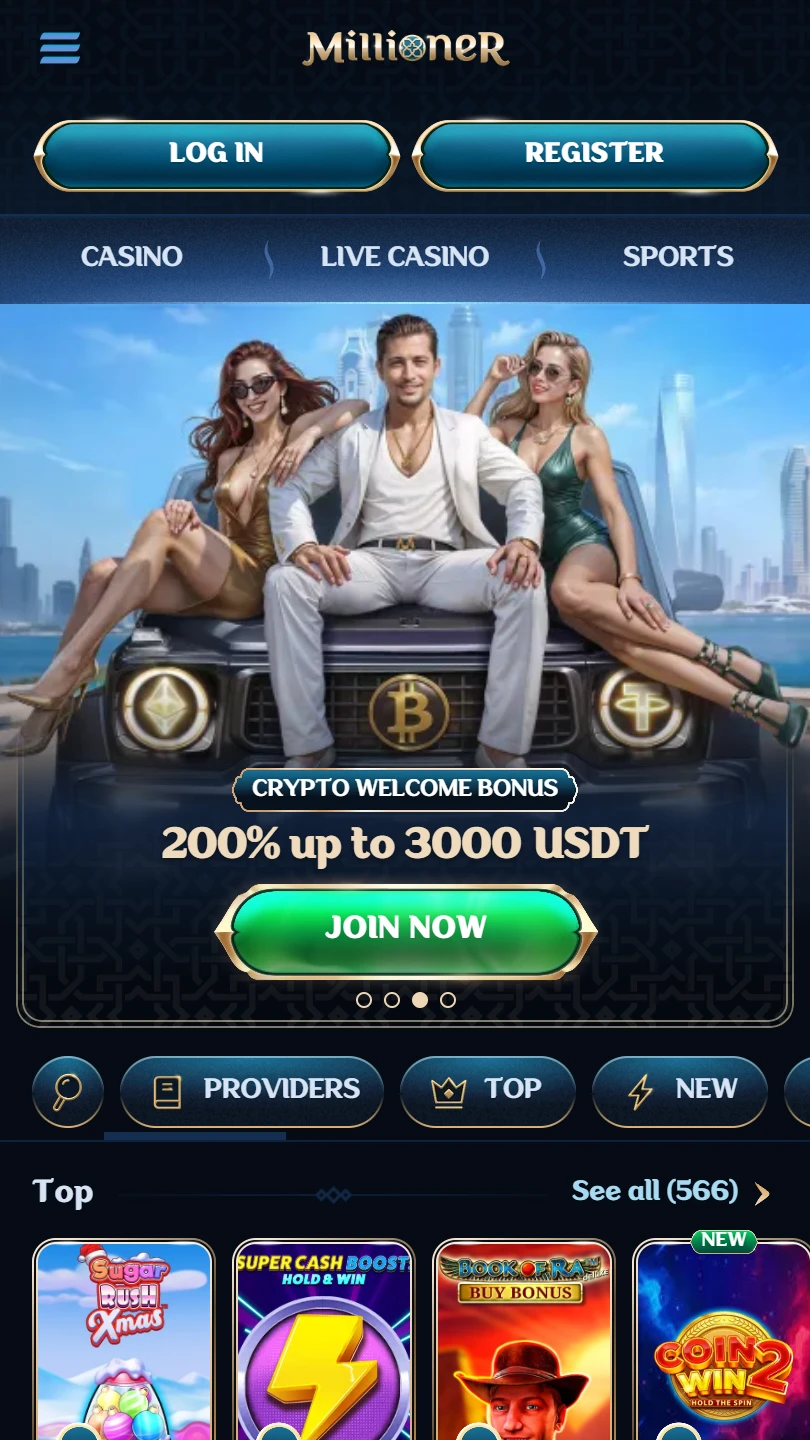
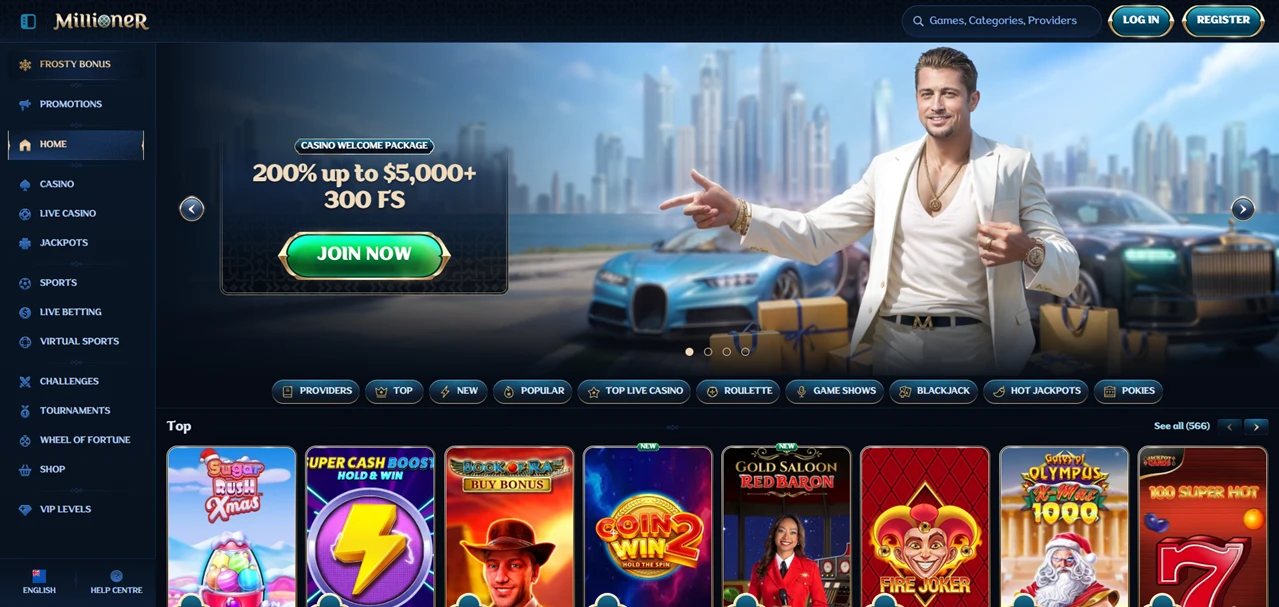
Six products sit behind that icon rather than one. Casino, live casino and jackpots run alongside a sportsbook, live betting and virtual sports, each with its own entry in the left-hand menu.
Live casino is the most divided of them. Roulette, blackjack, baccarat and dice, poker, game shows and a section called International Tables each get their own shelf, and the jackpot side splits seven ways again.
One home-page row is headed Top games in Ireland, which tells you the shelf is assembled by location rather than offered to everyone alike. Two players opening the same icon do not necessarily see the same six titles ranked one to six.
One login covers all of it. No separate sportsbook download exists and no second account, while casino and sport bonus offers sit on two linked promotion pages.
Support is organised properly. A help centre splits into eight topics, among them deposits, withdrawals, verification and technical problems, with 24/7 live chat and a named support address beside it.
The rules those answers rest on are thinner. Security and Privacy holds three links: privacy, responsible gaming, cookies. Terms and conditions sit beside that column on their own.
That gap matters when an answer and a term disagree, because only one of the two is binding and it is not the help article.
Missing from the set: a bonus policy to check a promotion against, a verification policy listing the documents required, and a complaints route for the point where live chat says no.
Nor is the operator named on any page examined, with no company number and no regulator given.
Millioner has built the experience and skipped the paperwork. Six products run behind one login, the help centre is staffed around the clock, and the install guide is honest enough to publish its own fallback.
What is absent is everything a player would need before funding an account. The company goes unnamed, no licence reference appears, and three documents stand behind a casino, a sportsbook and a full promotions programme.
✅ Players wanting casino, live tables, jackpots and sport behind one login
✅ Anyone who prefers a written install guide to guesswork
✅ Phone users content with a free home-screen icon and no storage cost
✗ Readers who want a real .apk or a store listing
✗ Depositors who check an operator and a licence first
✗ Bonus players, with no bonus policy published anywhere
No. No .apk is published and neither store lists one. Its Create Shortcut page produces a home-screen icon on both systems, which is the whole mobile route.
Because its first step depends on a browser prompt that may not appear. Chrome decides when to offer it, so the guide adds the manual three-dot menu route underneath as a fallback.


.svg "French")
.svg "Arabic")