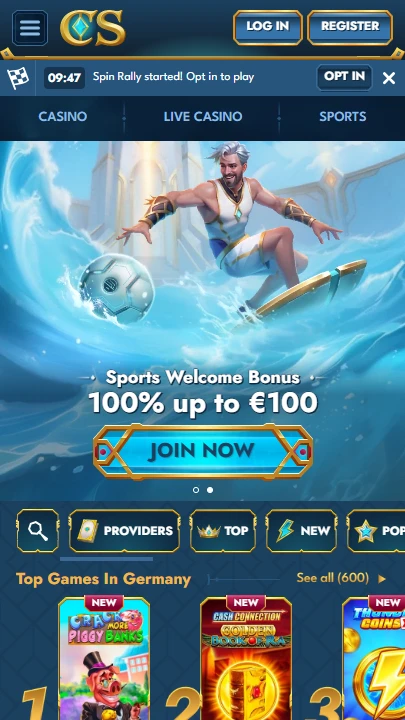
| Mobile Web App or PWA | Available  |
| Google Play Store | Unavailable  |
| Android .apk | Unavailable |
| iOS App | Unavailable |
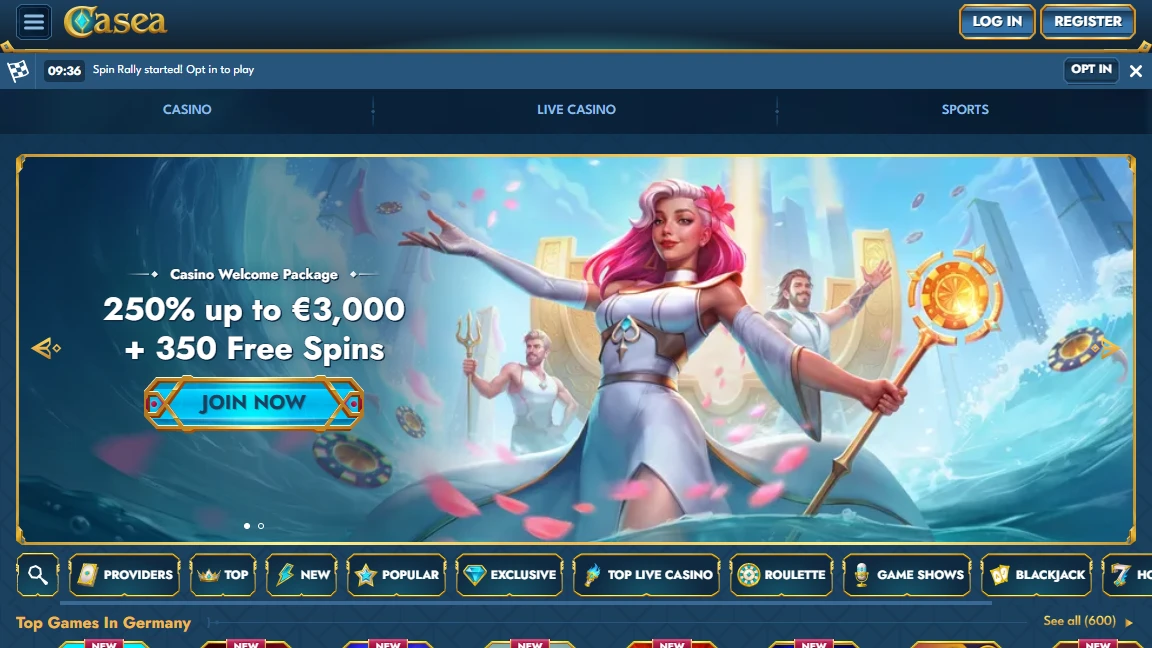
Atlantis brought to life on a casino homepage — titans, deep-sea ruins, and a goddess commanding the waves from the welcome banner. Casea doesn’t look like a reskin. The mythical undersea theme runs through every layer of the platform, from the game lobby to the Collections system. No native app. Everything runs in the browser.
| Mobile Web App or PWA | Available |
| Google Play Store | Unavailable |
| Android .apk | Unavailable |
| iOS App | Unavailable |
Atlantis brought to life on a casino homepage — titans, deep-sea ruins, and a goddess commanding the waves from the welcome banner. Casea doesn’t look like a reskin. The mythical undersea theme runs through every layer of the platform, from the game lobby to the Collections system. No native app. Everything runs in the browser.
Casea hosts its own “Create Shortcut” page — linked in the footer under General Info — with visual guides for each step.
The sidebar packs fourteen sections: Promotions, Challenges, Tournaments, Spin Rally, VIP Club, Casino, Live Casino, Jackpots, Sports, Live Betting, Virtual Sports, Shop, and Wheel of Fortune. On mobile, that collapses into a hamburger menu without losing anything.
The casino lobby sorts into Top, New, Popular, Exclusive, Roulette, Game Shows, Blackjack, Hot Jackpots, and Slots. Sports covers live betting, football, tennis, table tennis, basketball, ice hockey, American football, baseball, and horse racing.
Three features you won’t find on most platforms: Spin Rally runs fast-paced slot competitions every 15 minutes. Collections reward you for completing sea-themed sets with instant bonuses. And an AI assistant delivers personalised bonus offers directly to your account — a genuinely unusual touch.
The Wheel of Fortune offers daily prizes. Challenges pay out coins redeemable in the Shop. Both work on mobile.
Your welcome package activates on the first deposit. With a lineup this deep, it’s worth having in place before you start exploring.
Casea runs on iGate infrastructure — the same backend that powers several other casino-and-sportsbook platforms. That shared foundation adds technical maturity: proven payment routing, established server uptime, and a gamification toolkit that’s been tested across multiple brands.
What Casea adds on top is the Atlantis identity. The deep-blue palette, the mythical character art, and the undersea motifs carry through the game lobby, the Collections module, and even the Wheel of Fortune. On mobile, where screen real estate forces most casinos into a generic grid, that thematic consistency stands out.
The AI assistant is the most unusual addition. Rather than relying on standard promotional emails, Casea uses a personalised AI system to deliver bonus offers tailored to your play patterns. That’s a feature most established platforms haven’t attempted — and it works through the mobile browser like everything else.
No APK, no iOS file. The official “Create Shortcut” page and casea.com itself are the only verified access points.
Live chat and Help Centre are accessible from every page — badges in the lower left corner on mobile. The footer links to Responsible Gaming, Privacy Notice, and the full Terms and Conditions. For anything the Help Centre doesn’t cover, the live chat runs around the clock.
Most browser-based casinos that share the same backend end up looking interchangeable. Casea avoids that trap. The Atlantis identity isn’t decorative — it shapes the Collections (sea-themed sets), the visual design (titans, deep-sea ruins, oceanic colour palette), and the overall atmosphere in a way that feels intentional.
Underneath the theme sits a full-featured platform: sportsbook with live betting and horse racing, a live casino section anchored by roulette, blackjack, and game shows, a jackpot category, Spin Rally competitions every 15 minutes, and a gamification loop that connects Challenges, coins, Shop, and VIP progression.
The AI assistant adds a layer of personalisation that’s rare in this space. The dedicated shortcut page signals that mobile is treated as a first-class experience, not an afterthought.
A personalised system that delivers bonus offers tailored to your activity. Rather than generic promotions, the AI adapts to your play patterns — an uncommon feature in the browser-based casino space.
Every 15 minutes. It’s a fast-paced slot competition that runs continuously, accessible through the sidebar on mobile.
Yes — linked in the footer under “Create Shortcut.” The page includes step-by-step visual guides for both Android and iOS.

.svg "French")
.svg "Arabic")