| Mobile Web App or PWA | Available  |
| Google Play Store | Unavailable  |
| Android .apk | Unavailable |
| iOS App | Unavailable |
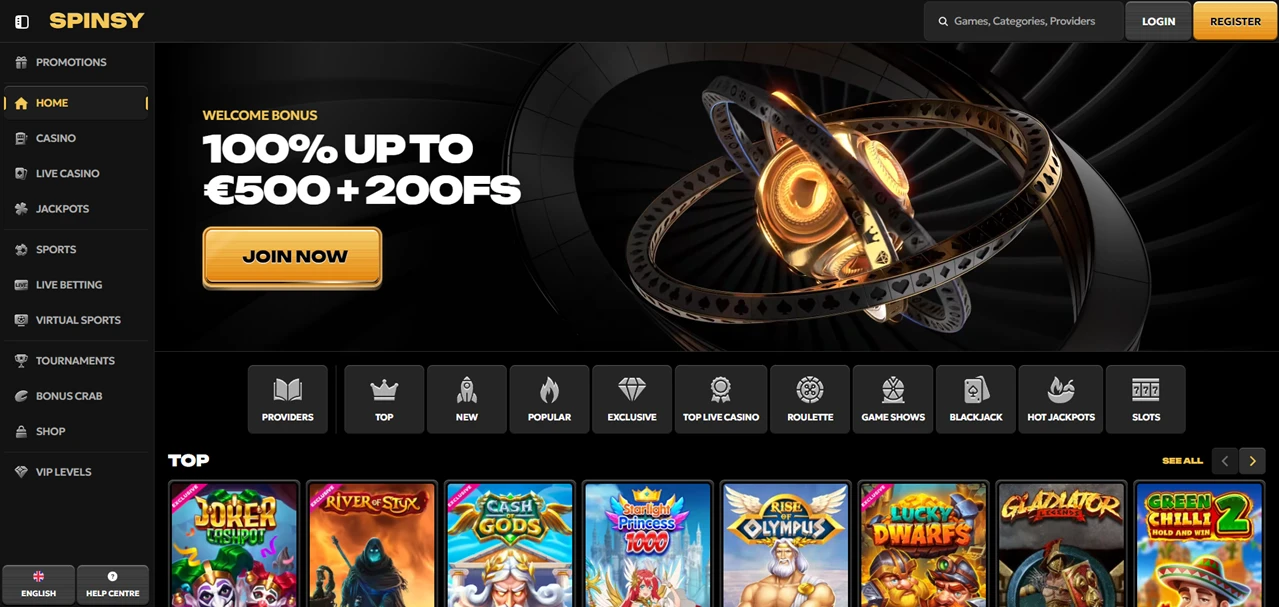
There’s something cinematic about the way Spinsy presents itself — dark tones, gold accents, and a layout that organises hundreds of games into clean visual rows rather than dumping them into a single grid.
That design translates surprisingly well to a mobile browser, which is the only way to play. No native app exists for iOS or Android.
| Mobile Web App or PWA | Available |
| Google Play Store | Unavailable |
| Android .apk | Unavailable |
| iOS App | Unavailable |
There’s something cinematic about the way Spinsy presents itself — dark tones, gold accents, and a layout that organises hundreds of games into clean visual rows rather than dumping them into a single grid.
That design translates surprisingly well to a mobile browser, which is the only way to play. No native app exists for iOS or Android.
The browser-based version mirrors the desktop experience across casino, live casino, jackpots, sportsbook, live betting, virtual sports, Challenges, and the coin shop.
Your screen adapts the sidebar into a compact menu, and game categories scroll horizontally — the same layout logic, just reformatted for a smaller display.
The welcome offer is active from your first deposit, so it’s worth claiming before you explore the library.
To remove the shortcut later: on Android, long-press the icon and drag it to “Remove.” On iOS, long-press until it jiggles, then tap the “X” to delete.
Since no official app exists, anything claiming to be a Spinsy download is fake. This isn’t a grey area — there’s no APK, no sideload file, no alternative store listing.
The browser is the product. Spinsy is operated by Rabidi N.V. under a Curaçao eGaming licence, and the official domain is the only access point that connects you to that licensed environment.
Spinsy offers live chat, email (support@spinsy.com), and a web form. The live chat is accessible directly from the mobile interface without navigating to a separate page.
For a platform operated by Rabidi N.V. — a company that runs several other casinos on similar infrastructure — the support setup follows a familiar and reliable pattern.
The web app handles the full Spinsy experience on mobile without stripping features.
Slots, live dealer tables from Evolution Gaming, game shows, hot jackpots, Challenges that earn coins, a shop to convert those coins into rewards, and a sportsbook covering football, tennis, basketball, ice hockey, table tennis, and American football — it’s all there, loading fresh every session without anything stored on your device.
Where Spinsy earns its mobile credibility is in the presentation. The dark-and-gold visual identity doesn’t collapse on a smaller screen the way many casino designs do.
Categories stay legible, game thumbnails stay sharp, and the navigation doesn’t bury features behind multiple taps.
The trade-off is the usual one: you need a stable connection, and browser-based performance won’t match a dedicated app under poor signal conditions. For most players on a decent connection, that trade-off is invisible.
No — and any download link you encounter elsewhere is not from Spinsy. The platform works exclusively through your mobile browser.
Yes. All gamification features — Challenges, coin earning, and the reward shop — are fully functional on the mobile web app.
Chrome on Android and Safari on iOS deliver the smoothest experience. Other browsers may work but won’t support the home screen shortcut feature.


.svg "French")
.svg "Arabic")